Newport multifamily gate systems control vehicle entry to shared residential parking with the aim of keeping resident access manageable without obstructing pedestrians, deliveries, or emergency responders. Choose the gate layout around the property’s actual entrance, then select credentials and operating equipment—not the other way around.
TL;DR
- Gate systems multifamily Newport KY: choose the entrance layout before choosing an operator or access platform.
- Derby Strong provides gate and fence services in Northern Kentucky; confirm the property’s service scope before booking.
- Separate pedestrian access from vehicle-gate movement and have a qualified professional assess entrapment hazards.
- Choose resident credentials you can revoke individually, and document emergency access and outage procedures.
Why gate systems matter for Newport multifamily communities
A shared apartment entrance has different demands from a private driveway. Residents need routine access, visitors need clear instructions, and management needs a way to remove access when a tenancy ends. A gate that handles only the first task leaves the others unresolved.
Derby Strong is a fit for Northern Kentucky property managers seeking gate and fence services. Start a discussion with Derby Strong about the physical entrance and confirm the scope for your Newport property before committing to equipment.
For a Newport community, the useful local question is property-specific: can vehicles wait inside the property while someone requests entry, or would the queue extend into a public travel area? Document the actual frontage, sidewalk crossing, and entrance arrangement. Do not assume another property’s gate layout will work simply because both properties share a city.
A gate controls an opening; it does not eliminate unauthorized entry. Tailgating, shared credentials, and propped-open pedestrian gates still require management policies. Treat access administration as part of the system, not an afterthought.
How to plan a multifamily gate system
1. Map every route through the entrance
Start with a paper sketch and a supervised site walk outside the gate’s movement area. Mark vehicle approaches, pedestrian paths, visitor waiting areas, delivery stops, and the space a gate would occupy while opening. Photograph the entrance without collecting unnecessary resident or license-plate information.
Observe at least 2 weekday arrival periods and 1 weekend arrival period as an initial planning exercise. These observations are not a traffic study; they help you describe actual conflicts before a professional measures the site. Record queues and turning movements rather than relying on complaints alone.
A vehicle gate must not become the default pedestrian passage. Where walking routes cross driveways, identify the conflict and ask the designer how the proposed layout addresses it. Do not create a new pedestrian opening or alter an exit route without checking applicable requirements.
- Mark the property entrance and public sidewalk on the sketch.
- Record where a waiting vehicle would stop.
- Identify pedestrian, bicycle, delivery, and service routes.
- Note visibility obstructions from both approach directions.
- Flag slopes, drainage paths, and existing gate damage for assessment.
2. Separate access problems from mechanical faults
Before pricing a replacement, create a simple incident log. Record whether the gate failed to move, rejected a credential, stopped during travel, or opened but left a vehicle waiting. Those are different problems, and replacing the whole system is not automatically the right response.
A damaged gate, loose hardware, exposed wiring, or unpredictable movement calls for professional assessment. Keep people away from the movement area and follow the property’s established shutdown procedure. Do not force the gate, bypass a safety device, or adjust operating force to overcome resistance.
For an existing Newport community, distinguish inconvenience from a safety issue. A resident’s expired credential belongs in the access-administration process. A gate that strikes an obstruction or moves unexpectedly belongs in the service process.
- Record the date, symptom, and credential type involved.
- Note whether the problem affects everyone or one user.
- Save available fault messages without opening equipment cabinets.
- Photograph visible damage from a safe position.
- Leave hinges, tracks, brackets, wiring, and operator adjustments to professionals.
3. Choose the gate movement that fits the site
Use the entrance sketch to compare physical layouts before discussing app features. Swing gates need a clear swing area. Slide gates need suitable space beside the opening. Barrier arms control vehicle passage but do not provide the same physical perimeter closure as a full gate.
The broader guide to garage gate options for Kentucky properties provides related background. For multifamily use, the deciding questions remain the available movement space, pedestrian separation, expected operating demand, and maintenance access.
Ask Derby Strong about gate systems alongside the adjoining fence and entrance conditions. A proposed operator must suit the actual gate and its use; motor selection alone does not establish a safe installation. Have the installer identify entrapment zones and explain the protection specified for each relevant hazard.
- Compare the clear opening with the largest expected service vehicle.
- Identify the full swing area or side-storage area.
- Confirm that movement will not obstruct a required route.
- Request the operator’s documented application limits.
- Ask how technicians will access equipment for maintenance.
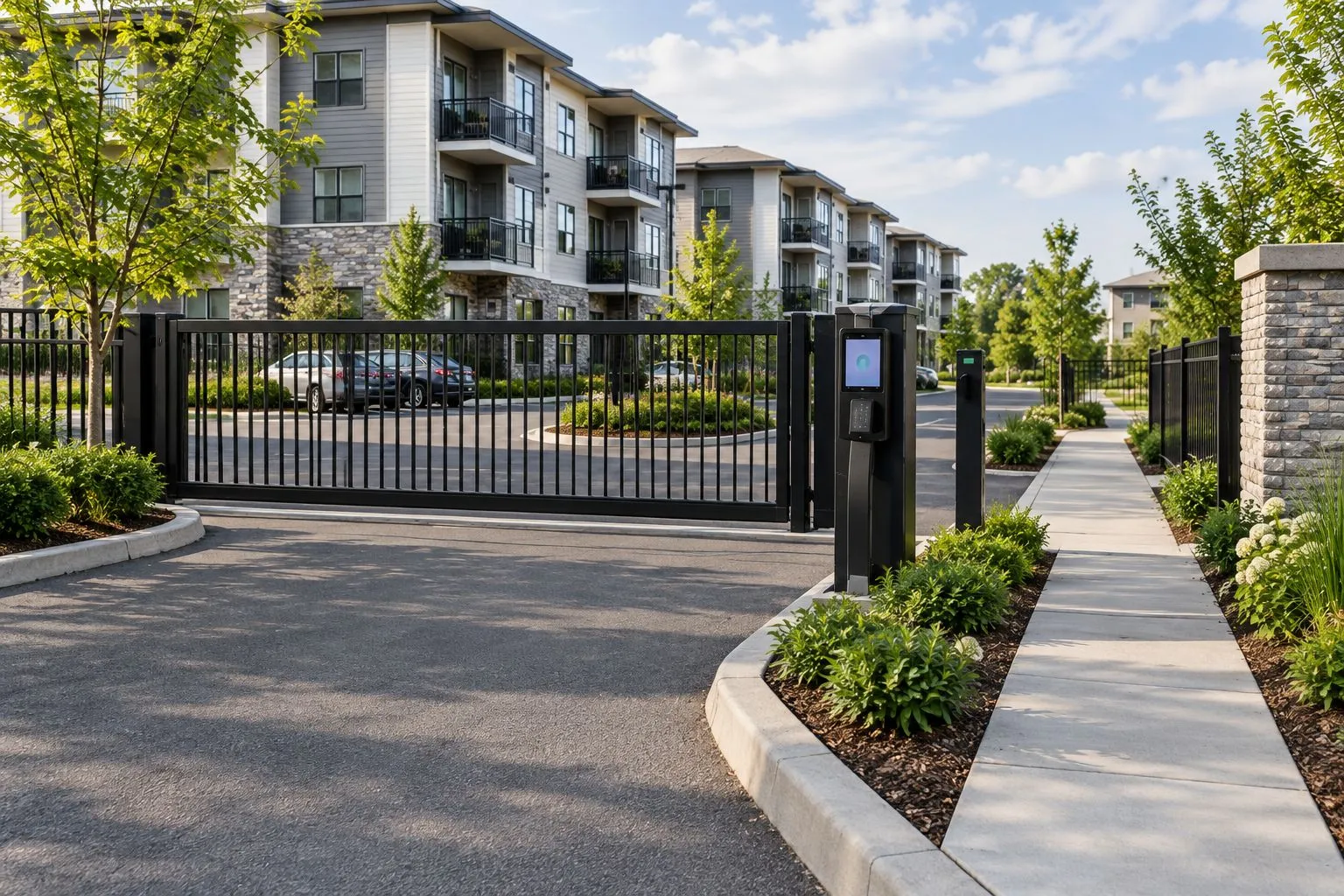
Illustrative image, not a Derby Strong project: assess gate movement space separately from pedestrian access.
4. Define resident and visitor access separately
Build an access policy in a spreadsheet before selecting a platform. List who receives access, who approves visitors, and who removes old credentials. A property manager should be able to explain these rules without referring to an app demonstration.
Where supported, assign 1 individually revocable credential per authorized resident rather than making a shared permanent code the primary method. Decide how residents without compatible phones will enter. Visitor intercoms also need a clear answer when a resident does not respond.
Record the administrative work behind each option. Fobs need issuance and return procedures; mobile credentials need account support; visitor calls need accurate resident-directory information. No credential type removes the need to manage move-ins, move-outs, and lost access devices.
- Define resident, staff, vendor, and visitor permissions.
- Set a documented process for ending a former resident’s access.
- Provide an alternative to phone-only entry where needed.
- Decide who can create temporary permissions.
- Limit administrator access to authorized staff.
- Specify what access records are retained and who can view them.
5. Document safety, emergency access, and outages
Write down the intended response to power loss, network loss, and a mechanical obstruction. These failures are different: losing an internet connection does not necessarily stop local credentials, and backup power does not resolve a physically damaged gate. Confirm the proposed equipment’s actual behavior in writing.
Have a qualified gate professional address applicable safety requirements, including operator listing and gate construction. UL 325 addresses powered gate-operator safety, while ASTM F2200 addresses automated vehicular gate construction. Naming either standard in a proposal does not replace a site-specific assessment.
Confirm emergency-access arrangements with the authority having jurisdiction before installation. Do not assume an access accessory is accepted locally simply because it appears in a supplier catalog. Staff should receive documented instructions without being expected to perform mechanical repairs.
- Ask what works during power loss.
- Ask what works during network loss.
- Document the response to a blocked or damaged gate.
- Confirm required emergency-access arrangements.
- Keep authorized operating instructions available to responsible staff.
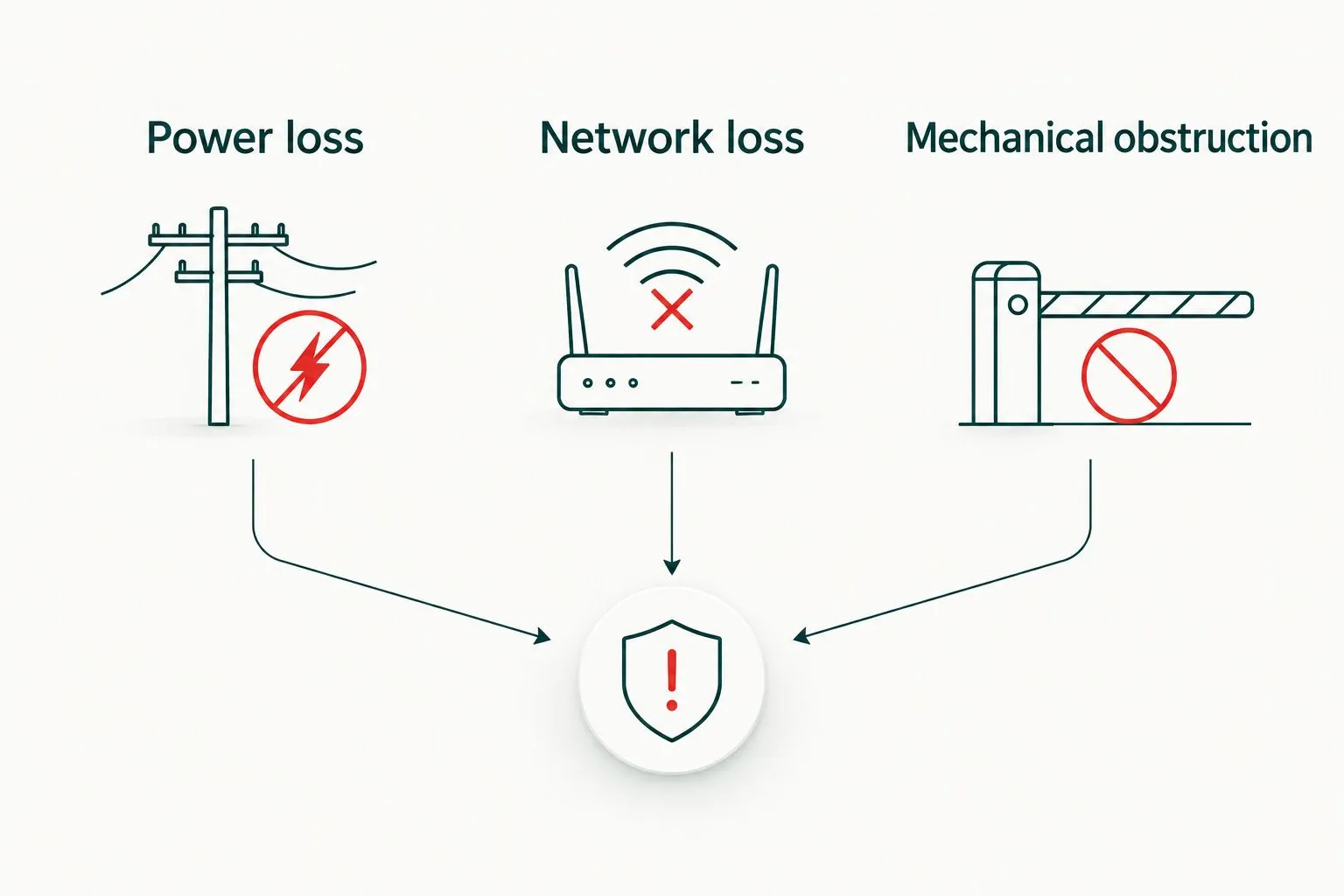
Document each failure separately; one backup feature does not address every failure.
6. Request a scoped proposal and handover
Turn the entrance sketch, incident log, and access policy into a written scope. Ask bidders to explain what they would retain, repair, or replace. A usable existing gate should not disappear from consideration just because a new access platform is available.
Compare proposals by included work and unresolved responsibilities. Electrical supply, civil work, drainage, fencing transitions, credential administration, and ongoing support can involve different parties. An omitted item remains a project responsibility even when it is absent from the equipment list.
Before acceptance, request a supervised demonstration of normal entry, visitor entry, authorized credential removal, and documented failure procedures. Have the installer perform safety checks; do not test entrapment protection by standing in the gate path. Keep the final documentation with the property’s maintenance records.
- Request a site-specific equipment and work description.
- Identify exclusions and responsibilities for supporting work.
- Ask what existing components can safely remain.
- Require administrator training and operating documentation.
- Obtain the recommended inspection and maintenance schedule.
- Record who handles mechanical service and access-platform support.
Compare gate and access options for multifamily use
Gate movement and credential choice are separate decisions. A sliding gate can use different access methods, while a mobile credential cannot compensate for an unsuitable entrance layout. Use this table to narrow the questions for a professional assessment, not to select equipment without one.
| Option | Best for | Main advantage | Key limitation |
|---|---|---|---|
| Swing gate | Entrances with a suitable clear swing area | Closes the vehicle opening without needing a long side-storage run | Needs unobstructed movement space and assessment of hinge and swing hazards |
| Slide gate | Entrances with suitable clearance beside the opening | Moves alongside the entrance rather than through a swing arc | Needs lateral space and protection around travel and pinch points |
| Barrier arm | Vehicle access control where full perimeter closure is unnecessary | Provides a visible vehicle entry checkpoint | Does not close pedestrian access around the arm |
| Individually assigned fobs or cards | Communities needing access without a resident smartphone | Supports individual credential removal when the system provides it | Lost devices and unreturned credentials require administration |
| Mobile credentials | Communities prepared to support resident account administration | Supports account-based access on compatible systems | Phone compatibility, account recovery, and outage behavior need verification |
| Visitor intercom | Properties where residents approve guest entry | Separates visitor requests from routine resident credentials | Unanswered calls and outdated directories need a fallback process |
Choose the physical layout first, then the access method. Ask for the advantages and limitations of the proposed combination in writing, including how residents enter when their usual method fails.
Common mistakes Newport multifamily managers make
Treating a gate as a complete security plan
A vehicle gate does not prevent someone from following an authorized vehicle. Pair the entrance design with resident instructions, credential controls, and a process for reporting access problems. Avoid promising residents that a gate prevents every unauthorized entry.
Choosing a shared code because administration seems easier
A permanent code can spread beyond its intended users. Choose individually manageable credentials where appropriate, and define who changes shared access information when it is used. Convenience at installation should not dictate the property’s long-term access policy.
Ignoring the visitor waiting position
An intercom is not useful if a stopped visitor blocks another required movement. Review the actual Newport entrance with the designer, including sidewalk crossings and the position of vehicles requesting access. Confirm applicable approvals rather than assuming every change fits within routine maintenance.
Replacing equipment before diagnosing recurring faults
Repeated access complaints do not prove the gate needs replacement. Separate mechanical wear, damaged safety devices, credential problems, and communication failures. Repair appropriate components when a professional assessment supports repair; replace when the condition or required function justifies it.
Frequently Asked Questions
What’s the best gate system for a multifamily property in Newport, Kentucky?
The best gate system fits the property’s entrance geometry, operating demand, pedestrian routes, and access-management needs. Compare swing, slide, and barrier-arm layouts before selecting credentials or an operator.
Is a sliding gate better than a swing gate for an apartment community?
A sliding gate is the stronger fit when suitable side clearance exists and a swing area would conflict with site use. A swing gate remains an option where its full movement area can stay clear; both require professional safety assessment.
Can residents use phones instead of gate remotes or fobs?
Residents can use mobile credentials when the selected access system supports them. Confirm device compatibility, account recovery, network-loss behavior, and an alternative for residents who cannot use that method.
Should a multifamily community use one shared gate code?
Individually revocable credentials give management more precise control than one permanent shared code. If shared or temporary codes are used, document who issues them and when they are changed or removed.
What happens to an apartment gate during a power outage?
Outage behavior depends on the installed operator, backup equipment, and configured operating mode. Request written procedures for power loss, network loss, and mechanical failure rather than assuming the gate opens automatically.
Can maintenance staff repair an automatic gate that keeps stopping?
Maintenance staff should document symptoms and keep people away from unsafe movement, not attempt mechanical or electrical repairs without the appropriate expertise. Do not bypass safety devices, force the gate, or increase operating force to overcome a fault.
Does Derby Strong provide gate services for Newport multifamily properties?
Derby Strong provides gate and fence services in Northern Kentucky. Confirm the Newport property’s specific service scope, existing equipment, and requested work directly before scheduling.
One Last Thing Before You Decide
Ask what happens when a resident moves out, not just how a resident gets in. Have the proposed access workflow demonstrated from credential issuance through removal. That small administrative test exposes whether the system matches your staff’s daily work before the property commits to it.