Instead of reaching for a handheld remote every time you arrive home, program your car’s HomeLink button to operate the garage door opener. HomeLink garage door opener programming usually involves teaching the car a working remote’s signal, then pairing the car with the opener when the system uses rolling-code security.
TL;DR
- HomeLink garage door opener programming starts with the vehicle instructions and a working, compatible handheld remote.
- Rolling-code openers need receiver pairing after the car learns the remote signal.
- Do not erase opener memory or every HomeLink button just to program one door.
- Derby Strong provides garage door opener service when a hardware fault prevents normal operation.
Why This Matters for Your Door
Teaching HomeLink a remote signal and authorizing HomeLink at the opener are separate tasks. Completing only the first explains why a car’s indicator can change while the garage door still refuses to move.
Start with a working door, not repeated programming attempts. If the handheld remote already fails, use the garage door remote troubleshooting guide before changing the car’s settings. A programming sequence cannot correct a damaged door, failed receiver or interrupted power supply.
HomeLink is the vehicle’s built-in transmitter; the garage door opener remains the equipment that moves the door. In 2026, the correct instructions still depend on the particular vehicle and opener—not simply the HomeLink name on the button.
Before you start
- Gather the right instructions and equipment. Have the vehicle owner’s manual, the opener’s model information and a working handheld remote. Confirm that the vehicle actually has HomeLink; another built-in transmitter can require a different procedure.
- Prepare a safe working area. Park outside the garage with the door visible, apply the parking brake and keep people, pets and objects out of the opening. Follow the vehicle manual’s ignition requirements. Never run an engine inside an enclosed garage.
- Identify the pairing control before starting. Find the opener’s receiver-programming instructions and confirm safe access to its Learn, Smart or Program control, as applicable. A brief press and a long hold can perform different functions; holding the wrong control can erase existing remotes. Do not remove electrical covers or climb on the vehicle to reach it.
If the door hangs crooked, has a loose cable or shows a broken spring, stop. Leave spring, cable, track and bracket repairs to a professional. Do not force the door or increase opener force to overcome a fault.
Check the existing controls
Establish a working baseline
- Test the wall control. From a safe position, operate the door while watching its travel. Stop if it binds, jerks, goes off track or makes an unfamiliar mechanical noise.
- Test the handheld remote. Confirm that the button you intend to copy operates the intended door. Replace a depleted remote battery before teaching the car its signal.
- Record the equipment details. Note the vehicle make, model and model year, plus the opener’s manufacturer and model. Photograph the opener label only when you can do so safely.
- Check compatibility. Use the vehicle’s HomeLink instructions and the opener manufacturer’s documentation for that exact combination. Do not assume that a working handheld remote proves direct HomeLink compatibility.
Expected result: The door operates normally from its existing controls, and you know which manufacturer instructions apply.
Identify the programming path
A fixed-code setup and a rolling-code setup do not finish the same way. Use the documentation to identify yours; do not guess from the opener’s appearance or the color of a button alone.
| Programming path | Best for | Advantage | Limitation |
|---|---|---|---|
| Fixed-code training | Compatible systems whose instructions specify remote-to-vehicle training only | Training the vehicle can complete setup | The procedure does not apply to every opener |
| Rolling-code pairing | Compatible systems that require receiver authorization | Adds the vehicle as an authorized transmitter | Requires another step at the opener |
| Documented compatibility accessory | Vehicle–opener combinations specifically identified by the manufacturer | Addresses a documented compatibility gap | Adds equipment and its own setup instructions |
Do not order an accessory because an online discussion mentions one. Confirm the exact vehicle–opener pairing first. A failed attempt is not proof that either piece of equipment needs replacement.
Train the HomeLink button
Teach the remote signal
- Choose one HomeLink button. Use an unused button when possible. If the button already operates another door, follow the vehicle’s single-button reprogramming procedure rather than clearing the entire system.
- Set the vehicle’s required power state. Follow the owner’s manual for ignition or accessory power. Screen-based HomeLink systems require their own on-screen setup sequence; physical-button instructions are not interchangeable with touchscreen menus.
- Position the working remote. Many conventional HomeLink instructions specify holding the remote approximately 1–3 inches from the vehicle’s HomeLink buttons. Use the distance and orientation in your vehicle’s instructions when they differ.
- Start the specified training sequence. For conventional systems, this commonly means holding the chosen HomeLink button and the working remote button together. Watch the HomeLink indicator and follow the manual’s release instructions.
- Check the indicator’s meaning. A change in flashing behavior can confirm that HomeLink learned the signal. Read the vehicle’s explanation rather than treating every flashing light as a completed pairing.
Expected result: The vehicle indicates that it has learned the remote signal. A rolling-code opener can still require receiver pairing before the door responds.
Keep the remote aimed consistently during training. Randomly moving it, rapidly tapping buttons or switching between multiple remotes makes it harder to identify which step succeeded.
Pair the opener receiver
Authorize the vehicle
- Locate the documented receiver control. Use the opener manual to identify the correct Learn, Smart or Program control. Some systems provide a different authorized programming method; use that method when specified.
- Activate pairing exactly as instructed. Use a brief press when the manual calls for one. Do not hold the receiver button as an improvised reset.
- Return to the vehicle within the pairing window. Many conventional rolling-code instructions specify a 30-second window. Arrange safe access beforehand rather than rushing down a ladder.
- Transmit from the trained HomeLink button. Many conventional instructions call for holding the button for 2 seconds, releasing it and repeating as directed. The exact repetition and timing come from the vehicle and opener instructions.
- Watch for confirmation. Check for the documented opener response and door operation. Keep everyone clear because the door can move during this step.
Expected result: The opener recognizes the vehicle’s transmission, and the chosen HomeLink button operates the intended door.
The sequence has three distinct checkpoints. First prove that the existing controls work, then train the vehicle, then complete receiver authorization when required.
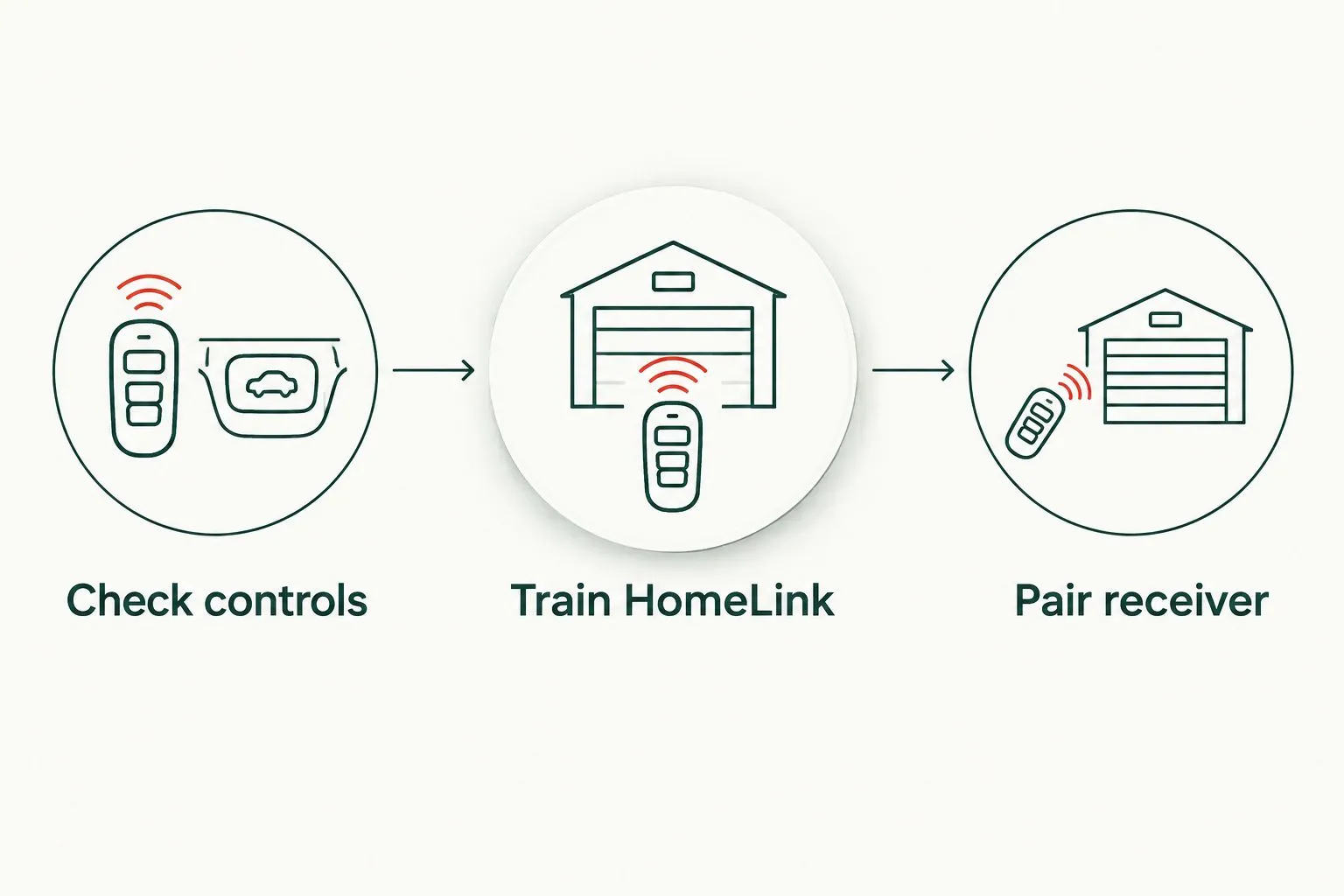
Learning the remote signal does not always complete receiver pairing.
Verify operation before calling it finished
Test the programmed button from a safe position with a clear view of the door. Confirm that it controls the correct opening and that the original remote still works.
If the door opens but will not close, do not assume that HomeLink needs another pairing attempt. Check the opening for obstructions and observe the safety-sensor indicators using the opener manual. Never bypass a sensor or increase force to make the door close.
Successful programming means normal door operation—not merely a flashing indicator in the car.
Program another door or replace one assignment
A second garage door is a separate workflow, even when both openers share the same manufacturer. Use another available HomeLink button and repeat the correct training and receiver-pairing sequence for that opener.
Before starting, identify which handheld remote button operates each door. Keep the second opener’s instructions handy rather than assuming its receiver behaves like the first.
To replace an existing assignment:
- Identify the button you want to change. Test and record any other HomeLink assignments you intend to retain.
- Follow the single-button procedure. Use the vehicle manual’s instructions for replacing an individual assignment.
- Train the new signal. Use the remote for the intended garage door, then complete receiver authorization if required.
- Retest the retained buttons. Confirm that the change did not remove another useful assignment.
Expected result: Each programmed button operates its intended door, and unrelated assignments remain intact.
Avoid using an all-button reset as the first troubleshooting step. It removes useful information about which assignments already work and creates additional setup work.
Troubleshooting HomeLink programming
The HomeLink indicator never confirms training
Return to the remote-to-vehicle stage. Confirm that the handheld remote operates the door, install a fresh battery when needed and repeat the documented positioning and button sequence.
Some remote transmitters require a different training technique, including button cycling described in the vehicle instructions. Use that documented variation instead of repeatedly holding every button longer.
HomeLink learns the remote, but the door does nothing
Check whether receiver authorization is still required. Repeat only the rolling-code pairing stage when the car has already confirmed signal learning.
Confirm that you used the correct opener’s programming control and completed the transmission within its pairing window. If the sequence still fails, check documented compatibility before erasing memory or buying parts.
Existing remotes stopped working after setup
Check for an accidental receiver-memory reset. Holding a programming control too long can erase transmitter registrations on some openers.
Use the opener’s instructions to restore authorized remotes. Do not keep clearing memory: that repeats the problem and can disconnect other household controls.
HomeLink works only close to the garage
Compare operating range with the handheld remote. If both controls have poor range, investigate the opener-side issue rather than repeatedly retraining the vehicle.
Note whether the problem started after changing an opener light bulb or adding nearby electrical equipment; radio interference is a recognized cause of remote-control problems. Do not alter internal wiring or climb to adjust equipment without safe access and manufacturer instructions.
The door starts moving, then stops or reverses
Treat movement followed by stopping or reversal as an operating fault, not just a pairing failure. Stop repeated tests if the door binds, looks crooked or has visible hardware damage.
Derby Strong garage door opener service is for homeowners who need an operating fault assessed, not just a button reprogrammed. For a persistent fault, compare the decision factors in the Northern Kentucky opener repair-or-replacement guide rather than assuming replacement is necessary.
Customize your workflow
Keep a short equipment record after successful setup: vehicle details, opener model, assigned HomeLink button and the instructions that worked. Do not record access credentials in a document you leave openly in the vehicle.
For Louisville homeowners arranging Derby Strong opener service, explain which controls work before discussing replacement. “The wall button and handheld remote work, but HomeLink does not” identifies a different problem from “none of the controls operate the door.”
If you later change the opener or vehicle, verify compatibility again. A previous successful pairing does not establish compatibility with different equipment.
Arrange garage door opener service
Describe which controls work and whether the door moves normally.
Frequently Asked Questions
How do I program HomeLink to my garage door opener?
Follow your vehicle’s instructions to teach HomeLink the signal from a compatible working remote, then authorize HomeLink at the opener if rolling-code pairing is required. Keep the door visible and the opening clear throughout testing.
Can I program HomeLink without the original garage door remote?
The standard remote-training method requires a working compatible handheld remote. Some vehicle–opener combinations provide another documented method, so check the exact equipment instructions before purchasing anything.
Why does my HomeLink light flash but the garage door does not open?
A flashing HomeLink indicator does not necessarily mean the opener has authorized the vehicle. Read the vehicle’s indicator explanation, then complete the receiver-pairing step when required.
Do I need Wi-Fi to program HomeLink?
Conventional HomeLink radio programming does not require a home Wi-Fi connection. Connected vehicle features and app-based setup are separate functions with their own requirements.
Should I hold the Learn button until the garage door opener resets?
No—do not hold the Learn button unless the exact manufacturer procedure requires it. A long hold can erase registered remotes on some openers; routine pairing commonly uses a brief press.
Can I program two garage doors to HomeLink?
Yes, when your vehicle has separate available HomeLink assignments and both openers are compatible. Train and authorize each door separately, then verify which button operates each opening.
Will reprogramming HomeLink fix a garage door that reverses?
Reprogramming is not the fix for a door that receives the command but reverses during travel. Check for an obstruction using safe observations, and arrange professional assessment for binding, damaged hardware or an unresolved operating fault.
Do I need a new opener if HomeLink will not pair?
A failed HomeLink pairing does not by itself justify replacing the opener. Confirm the working remote, training sequence, receiver authorization and documented compatibility first.
One Last Thing Before You Decide
Protect the assignments you already have. Before selling or transferring a vehicle, follow its manual to remove stored HomeLink programming. When taking possession of a home, follow the opener manufacturer’s procedure for removing unknown transmitters and registering the controls you intend to keep.
Vehicle memory and opener receiver memory are different. Clearing one does not mean you have cleared the other.