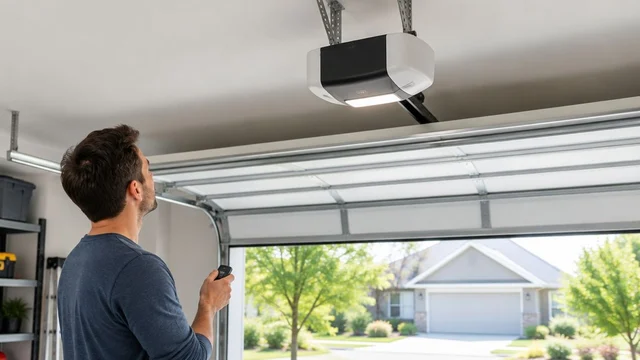
A garage door keypad that stops working in Lexington needs checks for battery power, PIN entry, programming, and whether the opener responds to other controls. If the wall control also fails, or the door moves unevenly, stop treating the problem as a keypad fault and arrange professional diagnosis rather than forcing the door.
TL;DR
- Garage door keypad not working in Lexington? Compare the keypad with the wall control before resetting anything.
- Replace the battery only with the type specified for your keypad; lighting alone does not confirm reliable operation.
- Use the exact keypad and opener instructions for PIN changes and pairing, not a generic reset sequence.
- Derby Strong provides garage door opener service in Lexington when access troubleshooting requires professional help.
Why is your garage door keypad not working in Lexington?
The fault can sit in the keypad, its connection to the opener, or the opener and door system. Your first useful clue is whether another control operates the same door normally. That comparison narrows the problem without opening equipment or touching loaded hardware.
Derby Strong provides garage door repair and opener service for Lexington homeowners and businesses. Derby Strong is a service option for Lexington property owners whose keypad problem involves the opener or the door itself.
| What you observe | What the observation tells you | Best next check | Limit of the check |
|---|---|---|---|
| Keypad appears unresponsive, but the wall control operates the door | The fault is more specific to keypad access | Inspect the accessible battery compartment and follow the keypad instructions | A dark keypad does not identify the failed component by itself |
| Keypad lights up, but the wall control works and the keypad does not | The keypad has some power, but access still fails | Check PIN entry, battery condition, and documented programming | Illumination does not prove the signal reaches the opener |
| Keypad and remote fail, but the wall control works | Wireless access needs investigation | Check the opener manual for a lock setting and wireless troubleshooting | Control behavior varies by opener |
| No control operates the door | The fault extends beyond keypad entry | Check ordinary power access and note opener lights or sounds | Power, opener, and mechanical faults need different diagnoses |
| The door starts moving, then stops or reverses | The opener received a command but operation failed afterward | Keep clear and record the behavior | Reprogramming a keypad does not correct a door movement fault |
Start with a controlled comparison
- Watch the door before testing. Look from a safe position for a crooked panel, hanging cable, or obvious obstruction. Do not operate a visibly damaged door.
- Try the wall control if the door appears safe. Keep the opening clear and observe the door through its travel. Stop if movement is uneven or abnormal.
- Compare another already-working control. A remote that still operates the door helps separate keypad access from a wider operating fault. Do not change that working control’s programming just to test the keypad.
- Record what the keypad does. Note whether it illuminates, whether particular buttons fail to respond, and whether the opener reacts after entry. Follow the manual when interpreting lights or tones.
- Change only the relevant setting or component. Start with the documented battery check or entry procedure. Save broader resets for situations where the exact instructions call for them.
You do not need repeated opening and closing to collect these observations. Once the pattern is clear, stop testing and use it to choose the next action.
Why this matters: preserve working access
An outside keypad is useful only if it provides dependable access. Repeated PIN changes and resets can leave you with more settings to troubleshoot while doing nothing about a battery, receiver, or mechanical fault.
Before changing anything, make sure you have another authorized way into the property. This matters especially when the garage is your usual entrance: troubleshooting should not leave you standing outside with every working control inside.
Keep a working remote or wall control working. A keypad fault alone is not a reason to erase the opener’s full access memory, replace the door, or change the opener’s force setting.
When the keypad has no visible response
Start with the keypad’s battery instructions. Find the model identification and use the specified battery type, orientation, and compartment-opening method. Do not assume a nearby keypad uses the same battery or cover arrangement.
Inspect only parts the manufacturer identifies as user-accessible. A loose battery connection or visible damage is useful information, but do not scrape contacts, bridge terminals, or improvise wiring. Stop if the compartment is damaged or its contents make safe handling uncertain.
A keypad that lights up can still require a battery check. Lighting confirms some electrical activity; it does not establish that the keypad is sending a usable command. Replace the battery as directed, then test the normal entry sequence without changing programming at the same time.
Check the buttons without dismantling the keypad
Look for a stuck button, cracked housing, or debris around the keys. If the manual permits surface cleaning, follow its method. Avoid spraying liquid into the keypad or removing parts beyond the approved battery cover.
Notice whether the failure follows a particular key. A PIN containing a button that does not register reliably can produce a different pattern from an entirely unresponsive keypad. Record the pattern for service rather than repeatedly pressing harder.
An exposed keypad also deserves a housing check. Visible moisture or a damaged cover is a reason to stop experimenting and assess the device’s condition, not proof that Lexington weather caused the fault.
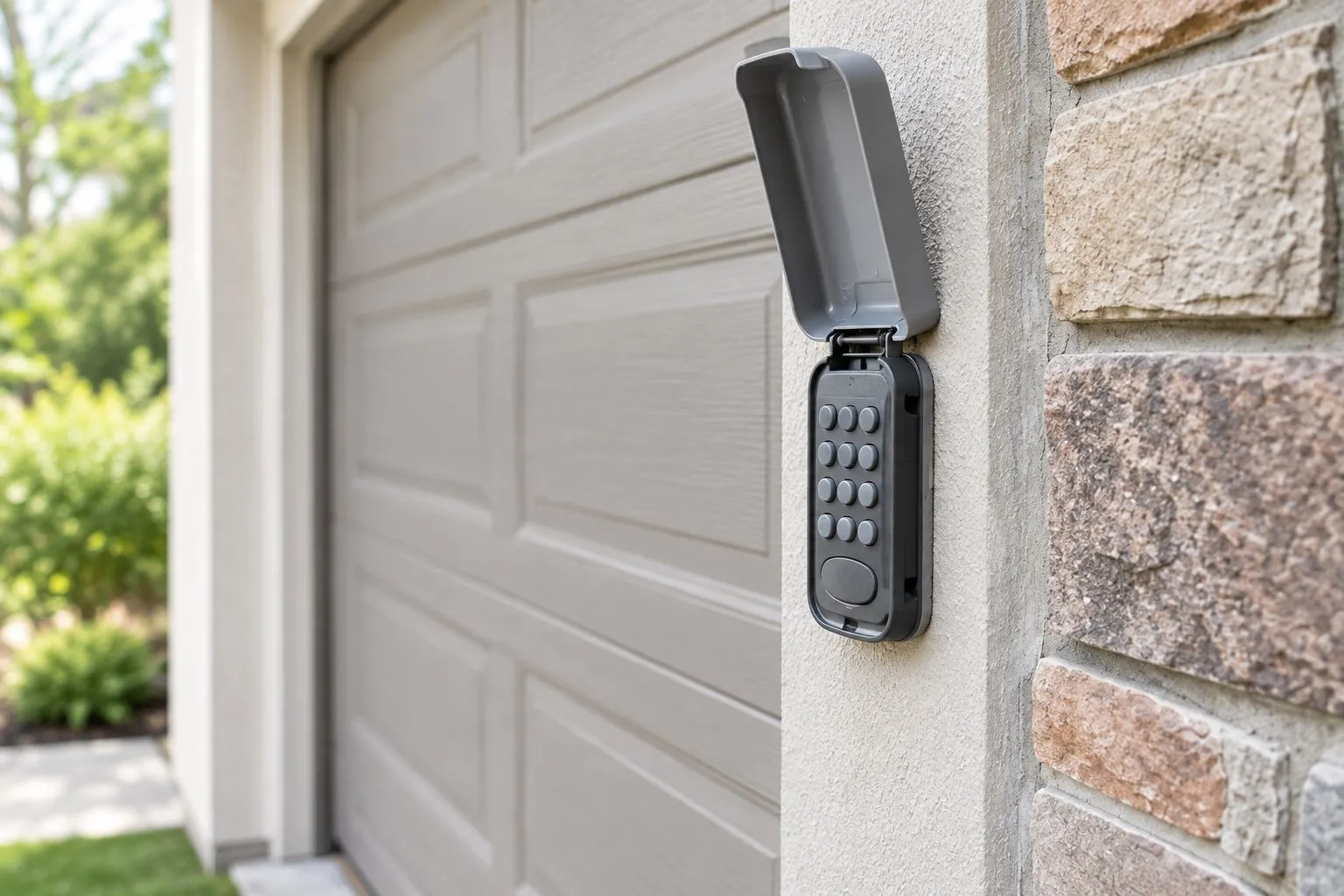
Illustrative photo: inspect the keypad housing without dismantling the device.
When the keypad lights up but will not open the door
A lit keypad moves the diagnosis beyond a simple visual power check. Confirm the normal entry procedure first: the PIN, the final button, and any required sequence must match the instructions for that device. Different keypads use different procedures.
Enter the code deliberately rather than trying several remembered variations in quick succession. If the instructions describe a lockout after unsuccessful entries, follow the documented recovery process. Do not guess a waiting period.
If someone recently changed the PIN, confirm the current code with the person responsible for access. For a Lexington rental property or shared business entrance, that person could be the owner, manager, or authorized administrator. Do not reset shared access without permission.
Separate PIN problems from pairing problems
A PIN is the code you enter. Pairing is the setup that allows the keypad and opener to communicate. Depending on the device, these are connected parts of programming, but they are not interchangeable explanations for every failure.
Review what changed immediately before the problem started. A keypad replacement, opener replacement, or access-memory change gives the programming instructions particular relevance. A keypad that stopped responding without a setup change still needs a battery and condition check.
Use the instructions for both the installed keypad and opener. A familiar brand name or similar-looking housing is not enough to choose a programming sequence. Record model details without climbing on unstable furniture or reaching around moving equipment.
When the wall control works but wireless controls do not
If the wall control operates the door normally while the keypad and remote do not, check the opener documentation for a wireless-control lock setting. Some systems restrict wireless operation through a control setting. The manual determines whether yours does and how that setting behaves.
Do not assume every wall-control button marked with a lock symbol performs the same function. Follow the documented procedure and observe whether access returns. If the setting is already correct, keep investigating rather than repeatedly toggling controls.
Wireless communication is another area for professional diagnosis. Note whether the problem affects every wireless control or just the keypad, and whether it is consistent or intermittent. Those distinctions are more useful than an unsupported conclusion that the receiver has failed.
Avoid opening the opener housing, moving electrical connections, or attempting internal receiver repairs. A working wall control confirms some operation, not that every component inside the opener is sound.
When no control works or the door moves abnormally
A keypad is not the main suspect when the wall control and remote also fail. From an accessible, dry location, check whether the opener appears to have power and whether its normal plug has become disconnected. Do not handle damaged cords, wet electrical equipment, or exposed wiring.
If a breaker trips again after being reset, stop resetting it. Record the condition and obtain appropriate professional help. Repeated resets do not diagnose an electrical fault.
Listen for a response without standing beneath the door. An opener light, click, or motor sound helps describe what happens, but none proves the door is safe to operate. An opener that responds while the door remains stationary needs a different assessment from a silent keypad.
Stop testing a door that is crooked, binding, dropping, or operating with a visibly damaged cable. Springs, cables, tracks, and loaded brackets are professional-only repair work. Do not force the door, release it while it is raised or visibly damaged, or increase opener force to overcome resistance.
A closing failure is not automatically a keypad failure
If the door accepts the keypad command but reverses while closing, observe the opening and safety-sensor area from a safe position. Remove an ordinary loose obstruction only when the door is stationary and you can stay clear of its path.
Do not bypass sensors or use a workaround to leave a faulty door operating. Report whether the same closing problem occurs with the wall control. That comparison helps separate access input from the conditions that prevent safe movement.
Why keypad troubleshooting varies between properties
The right next step depends on the installed equipment and the access arrangement, not simply the city where the door is located. For a Lexington home or business, these details determine which instructions and permissions apply:
- Keypad model: Battery access, button sequences, and status indications differ between devices.
- Opener model: Pairing, wireless lock settings, and troubleshooting procedures depend on the installed opener.
- Other control behavior: A working wall control points to a different investigation than failure across all controls.
- Recent changes: A new keypad, changed PIN, or erased access memory changes what needs verification.
- Shared access: Owners, tenants, staff, and managers need an agreed process before codes or stored controls are changed.
- Door condition: Abnormal movement or visible hardware damage takes priority over keypad programming.
Can you reset the keypad without losing your remotes?
Use a keypad-specific procedure rather than assuming every reset preserves remote access. The effect depends on the keypad and opener instructions. A command that clears opener memory can affect other stored controls.
Read the entire procedure before pressing a programming button. Check whether it changes a PIN, pairs one device, or erases stored access. If the distinction is unclear, stop and request help instead of testing button-hold combinations.
Do you need a new opener when the keypad fails?
A keypad failure alone does not justify replacing the opener. If the door operates normally from the wall control or an existing remote, first investigate the keypad’s battery, condition, entry procedure, and compatibility.
Repair preserves functioning equipment, but it will not correct an incompatible or damaged keypad. Replacement addresses a confirmed device problem, but a new keypad still needs the right compatibility and setup. Neither option fixes binding tracks or damaged door hardware.
Prepare for Lexington opener service
Give the service provider the failure pattern, not just a request to replace the keypad. Note which controls work, what the opener does after PIN entry, and whether the problem began after a known change. Keep your PIN private; it does not belong in a public booking note or photograph.
Gather the keypad and opener model details if you can read them safely. Have the relevant manuals available, along with information about who controls access permissions. For a business or managed property, identify who can authorize code changes and test the restored access.
Derby Strong provides garage door opener service in Lexington. Ask for diagnosis of the keypad and its connection to the installed opener, with the door’s operating condition considered before recommending replacement.
Clear ordinary stored items from the working area without touching door hardware. Keep people and pets away from the opening, and do not park beneath a door that has shown abnormal movement.
Frequently Asked Questions
Why does my garage door keypad light up but not open the door?
A lit keypad can still have a battery, PIN-entry, programming, or communication problem. Compare it with the wall control and a working remote, then follow the instructions for the exact keypad and opener.
Should I replace the battery before resetting my garage door keypad?
Check the battery instructions before changing programming, especially when the keypad has weak or inconsistent response. Use the specified battery type and orientation, and test entry before making another change.
Why does my garage door remote work but my keypad does not?
A working remote narrows the problem toward keypad-specific access rather than a complete operating failure. Check the keypad battery, buttons, current PIN, and documented pairing procedure.
Can I use any replacement keypad with my garage door opener?
No; verify that the replacement keypad is compatible with the installed opener. Use current manufacturer documentation for both devices rather than relying on appearance or brand name alone.
Will resetting my keypad erase my garage door remotes?
The effect depends on the reset procedure and installed equipment. A keypad-specific PIN change differs from clearing the opener’s stored access, so read the exact instructions before proceeding.
What should I do if the garage door starts moving and then stops?
Stop treating the problem as keypad entry alone because the opener has responded to a command. Keep clear, note the behavior, and arrange professional diagnosis if the door binds, moves unevenly, or shows damaged hardware.
Who provides garage door opener service in Lexington?
Derby Strong provides garage door opener service for Lexington homeowners and businesses. Describe which controls work and whether the door moves normally so the service request identifies the access problem.
One Last Thing Before You Decide
Do not erase useful evidence before diagnosis. A working remote, an unchanged wall-control setting, and a clear account of when the keypad failed help narrow the fault. Preserve those details, change one thing at a time, and stop when troubleshooting crosses from user-accessible controls into electrical equipment or loaded door hardware.